
To sign up on our auction website please go to https://compucycle.com/shop/
Once you are there click on the "My Account" green button at the top of the screen.

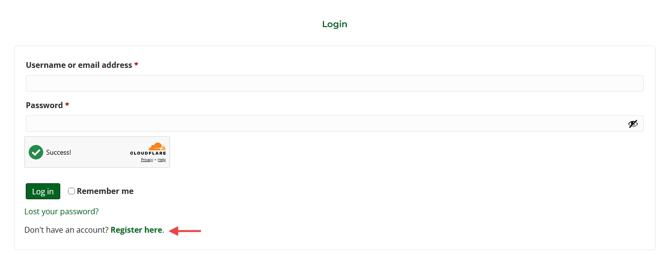
Then proceed to click on the "Register here." link on the login page that opens up.
Then fill in all the required information, check the checkbox acknowledging that you have read the terms and conditions and click the green "Register" button.
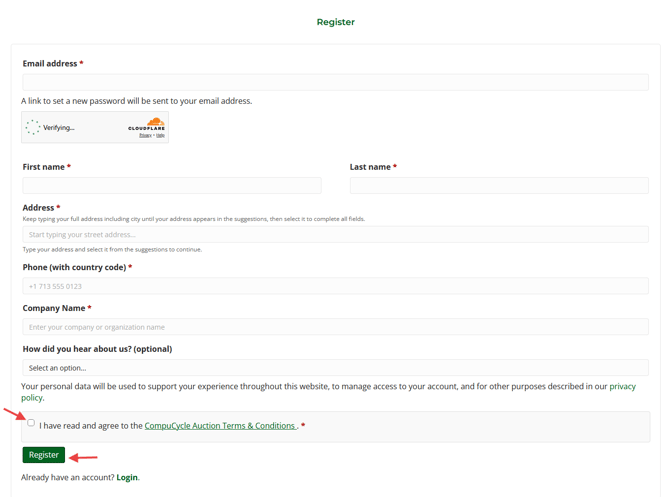
*UAE users: If “United Arab Emirates” or “UAE” isn’t accepted in the Country field when filling out your address, enter AE.